The __init__.py is still useful
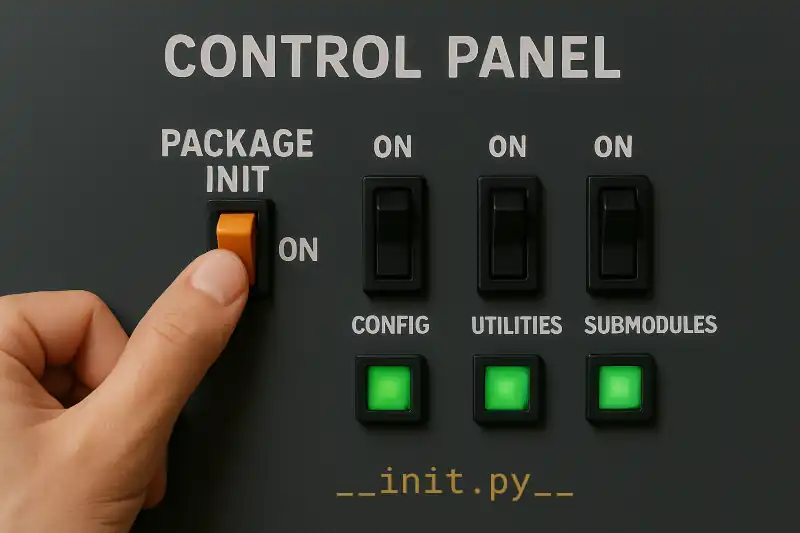
What __init__.py was required for #
Prior to Python 3.3, the __init__.py file was required in order for Python to recognize a directory as a package. Without it, Python would not be able to import any modules from that directory. This was a way to prevent accidental imports from directories that were not intended to be packages.
What __init__.py can also do #
The __init__.py can also contain code. This code is executed when the package is imported. With this in mind, there are a number of use cases for __init__.py
Consider the following directory structure:
├── main.py
└── somepackage
    ├── __init__.py
    ├── submodule1.py
    └── submodule2.py
submodule1 and submodule2 have some functions that we want to use in main.py.
# submodule1.py
def function1():
    print("Function 1 from submodule 1")

# submodule2.py
def function2():
    print("Function 2 from submodule 2")
Initializing the package #
initialization and checks can be placed in
__init__.pyfor fail-fast behavior.
The __init__.py file can be used to initialize the package. This can include loading configuration files, setting up logging, and performing any other initialization tasks that are required for the package to work correctly.
# __init__.py
import os

# Configuration initialization
config = {
    "setting1": os.getenv("SETTING1", "default_value1"),
    "setting2": os.getenv("SETTING2", "default_value2"),
    "dbUser": os.getenv("DB_USER"),
    "dbPassword": os.getenv("DB_PASSWORD"),
    "dbhost": os.getenv("DB_HOST"),
}

# validate db connection config

# Logging initialization

# check db connection config

# additional initialization code
Since the code in __init__.py is executed when the package is imported, any errors that occur during initialization will be raised immediately. This can be useful for fail-fast behavior, where you want to catch errors as early as possible.
Importing submodule functions #
Place common functions in
__init__.pyto simplify imports and allows safer refactoring.
With an empty or missing __init__.py, you would have to import the submodule functions directly in your main.py file like so.
# main.py
from somepackage.submodule1 import function1
from somepackage.submodule2 import function2
By adding imports to __init__.py, you can simplify the imports in your main.py file,
# __init__.py
from .submodule1 import function1
from .submodule2 import function2
# main.py
from somepackage import function1, function2

function1()  # Output: Function 1 from submodule 1
function2()  # Output: Function 2 from submodule 2
This is useful if you are refactoring your the package frequently, where the functions may move around from submodule to submodule.
__init__.py helps to provide a consistent interface for users of your package, and enables users to import functions from the package without worrying about the internal structure of the package.
Specifying the package interface #
Control what gets imported with
from package import *.
If you have a large package with many submodules, you may not want to expose all of them to users. You can control what gets imported when using the from package import * syntax by defining the __all__ variable in __init__.py.
This variable should be a list of strings representing the names of the modules or functions you want to expose.
For modules only, the __all__ variable should be a list of strings representing the names of the modules you want to expose.
# __init__.py
__all__ = ["submodule1"]

# main.py
from somepackage import *
submodule1.function1()  # Output: Function 1 from submodule 1
submodule2.function2()  # NameError: name 'submodule2' is not defined
For functions, it should be a list of strings representing the names of the functions you want to expose. But, you will need to first import the functions in __init__.py first before you can use them in __all__.
# __init__.py
from .submodule1 import function1
from .submodule2 import function2
__all__ = ["function1", "function2"]

# main.py
from somepackage import *
function1()  # Output: Function 1 from submodule 1
function2()  # Output: Function 2 from submodule 2
Setting package-level variables #
Use
__init__.pyto define package-level variables like__version__,__author__, and__license__.
The __init__.py file can also be used to define package-level variables such as __version__, __author__, and __license__, and is useful for documentation purposes.
# __init__.py
__version__ = "1.0.0"
__author__ = "Your Name"
__license__ = "MIT"

# main.py
import somepackage
print(somepackage.__version__)  # Output: 1.0.0
print(somepackage.__author__)  # Output: Your Name
print(somepackage.__license__)  # Output: MIT
Conclusion #
The __init__.py file is still useful in modern Python, even though it is no longer required to mark a directory as a package.
It can be used to initialize the package, import submodules, specify the package interface, set package-level variables, and provide a consistent API for users of the package.
By using __init__.py, you can create a well-structured and user-friendly package that is easier to use and maintain.